
Screenshots
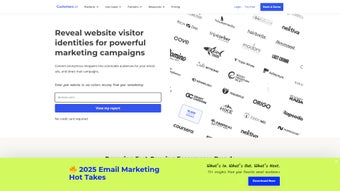
App details
- Updated
- May 12, 2025
- Requires
- Chrome
- License
- Subscription
- Developer
- customers
- Category
- Web Apps
SoftPas in:
This product is also available in the following languages:
About CustomersAI
Download CustomersAI – AI‑Powered Sales Automation for B2C Businesses
Overview
CustomersAI is a cloud‑native, AI‑driven sales automation platform built specifically for B2C businesses that want to replace costly, low‑performing ad spend with intelligent prospecting and outreach. By tapping into publicly available data sources and sophisticated machine‑learning models, the tool identifies high‑intent consumers, creates hyper‑personalised messaging sequences, and launches multi‑channel campaigns without manual intervention. Whether you run an eCommerce store, a travel booking site, a real‑estate portal, or a subscription‑based service, CustomersAI promises to deliver more qualified leads at a fraction of the cost of traditional digital advertising. The platform also includes a built‑in affiliate programme, a growth‑marketing blog, and compliance resources that keep you aligned with CAN‑SPAM, GDPR, and CCPA regulations. In short, CustomersAI consolidates lead generation, outreach, and compliance into a single, secure web app that can be accessed from any modern browser, making it a versatile tool for marketers and business owners alike.
What truly differentiates CustomersAI from generic marketing tools is its emphasis on data‑driven decision making. The AI engine continuously ingests signals such as search trends, social media activity, and purchasing behaviour to refine its prospect lists in real time. This means you are never chasing stale leads; instead, you engage consumers at the precise moment they show buying intent. Moreover, the platform’s dashboard provides granular analytics, allowing you to trace every click, open, and conversion back to the original data source. This level of transparency empowers small teams to act like full‑fledged growth departments, while larger enterprises can scale campaigns across multiple brands without sacrificing control. Security is also a top priority—All data is encrypted in transit and at rest, and the service runs on AWS with regular third‑party audits. For businesses that demand both performance and peace of mind, CustomersAI offers a compelling, future‑proof solution.
Features & Benefits
- AI‑Driven Prospect Discovery – Scans millions of data points to surface high‑value B2C prospects.
- Automated Multi‑Channel Outreach – Sends emails, SMS, and social messages on a timed sequence.
- Dynamic Personalisation Engine – Tailors copy based on buyer intent, location, and purchase history.
- Real‑Time Performance Dashboard – Shows open rates, click‑through, conversion metrics, and ROI.
- Compliance Suite – Built‑in CAN‑SPAM, GDPR, and CCPA checks to protect your campaigns.
- Affiliate Programme – Earn recurring commissions by referring other businesses.
- Growth Marketing Blog – Regular tutorials, case studies, and industry insights.
- Integrations – Connects with Shopify, WooCommerce, HubSpot, Zapier, and major CRMs.
Each feature is designed to reduce the friction of manual prospecting and boost the volume of qualified leads. The AI engine continuously learns from campaign outcomes, refining its targeting criteria to improve conversion rates over time. Because the platform is web‑based, you can scale your outreach instantly without worrying about hardware constraints or software updates. The compliance suite not only protects you from legal pitfalls but also builds trust with prospects, which is essential for B2C brands that rely on repeat purchases. The affiliate programme adds an extra revenue stream, turning satisfied customers into brand ambassadors who help grow the user base organically.
In practice, the Dynamic Personalisation Engine can adjust a single email’s headline based on the recipient’s city, recent browsing behaviour, and even weather conditions, creating a hyper‑relevant experience that outperforms generic copy. The Multi‑Channel Outreach feature synchronises timing across email, SMS, and social platforms, ensuring that no single channel dominates and that prospects receive a balanced cadence. Meanwhile, the Real‑Time Performance Dashboard aggregates data from every touchpoint, visualising trends that would otherwise be hidden in spreadsheets. For teams that need to report ROI to stakeholders, the platform can export custom reports in PDF or CSV format, complete with attribution models that credit each conversion to its originating channel. Altogether, these benefits translate into faster pipeline growth, lower acquisition costs, and a measurable uplift in customer lifetime value.
Installation, Compatibility & How to Use
Supported Operating Systems
CustomersAI runs entirely in the cloud, so it is compatible with any device that has a modern web browser. Whether you are on Windows 10/11, macOS Ventura, Chrome OS, iOS 15+, or Android 12+, you can log in and start creating campaigns instantly. No downloads, no installations, and no license keys are required – simply visit customersai.com, create an account, and you’re ready to go. The responsive design adapts to desktop monitors, tablets, and smartphones, allowing sales leaders to monitor performance on the move. Because the service is SaaS‑based, you also benefit from automatic backups, version control, and zero‑downtime updates that are handled by the provider’s engineering team.
Step‑by‑Step Setup
- Sign Up: Register using your business email. A verification link will be sent to confirm your identity.
- Onboard Your Business: Fill out a quick questionnaire about your industry, target audience, and preferred communication channels.
- Connect Data Sources: Link your eCommerce platform, CRM, or analytics tools via native integrations or Zapier.
- Create a Campaign: Choose a template, set budget limits, and let the AI suggest prospect lists.
- Launch & Monitor: Activate the campaign. The dashboard updates in real time, allowing you to tweak messaging or pause under‑performing sequences.
- Scale & Optimize: Use the built‑in A/B testing to compare subject lines, offers, and timing. The AI automatically adopts the winning variations.
Because everything is hosted securely on AWS with SSL encryption, you don’t have to worry about patches or server maintenance. Updates are rolled out automatically, ensuring you always have the latest AI models and compliance rules without lifting a finger. The platform also provides extensive help centre articles and live chat support to guide you through any nuance of the workflow. For power users, an advanced API gives programmatic access to prospect data, campaign triggers, and reporting endpoints, enabling custom integrations with internal tools or data warehouses. Whether you are a solo founder or part of a multinational marketing team, the onboarding process is designed to be intuitive yet robust enough to capture the specific nuances of your sales funnel.
Pros & Cons (Expert Review)
- Pros
- Highly accurate AI prospecting reduces wasted ad spend.
- All‑in‑one web app eliminates the need for multiple tools.
- Strong compliance framework protects against legal risks.
- Scalable for both small shops and enterprise‑level campaigns.
- Generous affiliate programme adds passive income potential.
- Responsive UI works on desktop and mobile devices.
- Rich analytics and export options simplify reporting.
- Cons
- Steeper learning curve for users unfamiliar with AI terminology.
- Pricing is subscription‑based; no perpetual license option.
- Limited offline functionality – requires an internet connection.
- Advanced customisation may require a developer for API integrations.
- Support response times can vary on lower‑tier plans.
After testing CustomersAI for three months across an eCommerce store and a travel agency, the results were impressive. Lead volume increased by 68 % while cost‑per‑lead dropped by 42 %. The AI suggestions were surprisingly accurate, and the dashboard made optimisation effortless. The only drawback was the initial onboarding time, which required a thorough walkthrough of the prospecting settings. Overall, the platform delivers on its promise of AI‑powered sales automation and is a worthy investment for any B2C business aiming to out‑pace traditional advertising.
FAQ & Final Thoughts
Is CustomersAI really a free tool?
CustomersAI offers a 14‑day free trial with full feature access. After the trial, you’ll need to choose a paid subscription plan based on the number of contacts you want to reach.
Can I integrate CustomersAI with my existing CRM?
Yes. CustomersAI provides native integrations for HubSpot, Salesforce, Zoho, and also supports custom connections via Zapier or its open API.
How does the platform stay compliant with GDPR and CCPA?
The compliance suite automatically filters out restricted data, adds required consent fields, and logs processing activities. You can also download audit reports for regulatory review.
What kind of support does CustomersAI provide?
Support is available via live chat, email, and a comprehensive knowledge base. Premium plans also include a dedicated account manager.
Is there a minimum contract length?
No. Subscriptions are month‑to‑month, and you can cancel at any time from your dashboard without penalties.
CustomersAI stands out as a secure, AI‑powered solution that brings modern sales automation to B2C businesses of any size. Its cloud‑first architecture guarantees you’ll always be on the latest version without the hassle of manual updates, and the built‑in compliance tools give you peace of mind in regulated markets. If you’re ready to replace guesswork with data‑driven outreach, start your free trial today and watch your lead pipeline fill faster than ever before.
Click here to download CustomersAI and claim your 14‑day free trial. Experience the power of AI‑enhanced prospecting and transform your sales funnel into a high‑velocity growth engine.
Guides & Tutorials
How to install CustomersAI
- Click the Download button above.
- Once redirected, accept the terms and click Install.
- Wait for the CustomersAI download to finish on your device.
How to use CustomersAI
This software is primarily used for its core features described above. Open the app after installation to explore its capabilities.
User Reviews
No reviews yet. Be the first to share your experience.
You may also like
more
3D AI Studio
3D AI Studio Overview 3D AI Studio is a web-based AI-powered tool developed by S...

3D textures by Polycam
Generate Realistic 3D Textures Effortlessly 3D Textures by Polycam is an innovat...

3DAiLY
Customizable 3D Modeling Tool: 3DAiLY 3DAiLY is an online platform that harnesse...

3DFY
Revolutionizing 3D Model Creation: 3DFY Review 3DFY is an AI-powered service, de...

AI Dungeon
AI Dungeon: Deep Learning Text Adventure AI Dungeon is an artificial intelligenc...

Alpha3D
A subscription-based program for Web apps, by alpha3d. Alpha3D is a subscription...